

Automatic property observation in UIKit with @Observable
UIKit continues to evolve with modern patterns and better SwiftUI interoperability. This year it adds native support for Swift Observation. When we read properties of an @Observable class in update methods, UIKit records those reads and wires up the dependencies so it can invalidate and update the right views without extra manual logic on our behalf.
This automatic observation tracking is enabled by default on iOS 26, but it can also be backported to iOS 18. In this post we'll look at how automatic observation tracking works in practice on iOS 26 and iOS 18, and how it makes it easy to share data between UIKit and integrated SwiftUI components.
The example we'll use is a very basic UIKit app that shows an image and a title, and includes a settings view, the contents of which are built with SwiftUI. The SwiftUI settings view is presented in a half-sheet, and we need to make sure that as the user switches the selection in the SwiftUI view, the UIKit view below refreshes to reflect the new state.
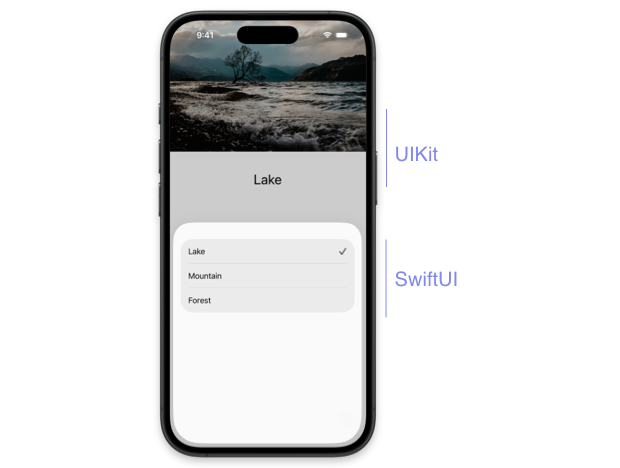
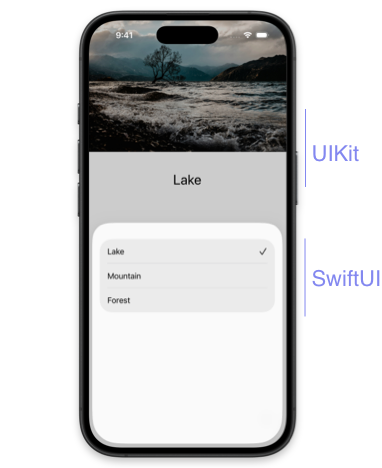
Here are the relevant code parts, with the UIKit update logic omitted for now:
@Observable
class SelectionState {
    var image: ImageName = .lake

    enum ImageName: String, CaseIterable {
        ...
    }
}

class ViewController: UIViewController {
    private let selectionState = SelectionState()

    private var imageView: UIImageView!
    private var imageLabel: UILabel!

    ...

    @objc private func showHalfSheet() {
        let settingsView = SettingsView(selectionState: selectionState)
        let settingsController = UIHostingController(rootView: settingsView)

        ...

        present(settingsController, animated: true, completion: nil)
    }
}

struct SettingsView: View {
    let selectionState: SelectionState

    var body: some View {
        NavigationStack {
            List(
                SelectionState.ImageName.allCases, id: \.self
            ) { image in
                Button {
                    selectionState.image = image
                } label: {
                    ...
                }
            }
        }
    }
}
# Automatic observation tracking on iOS 26
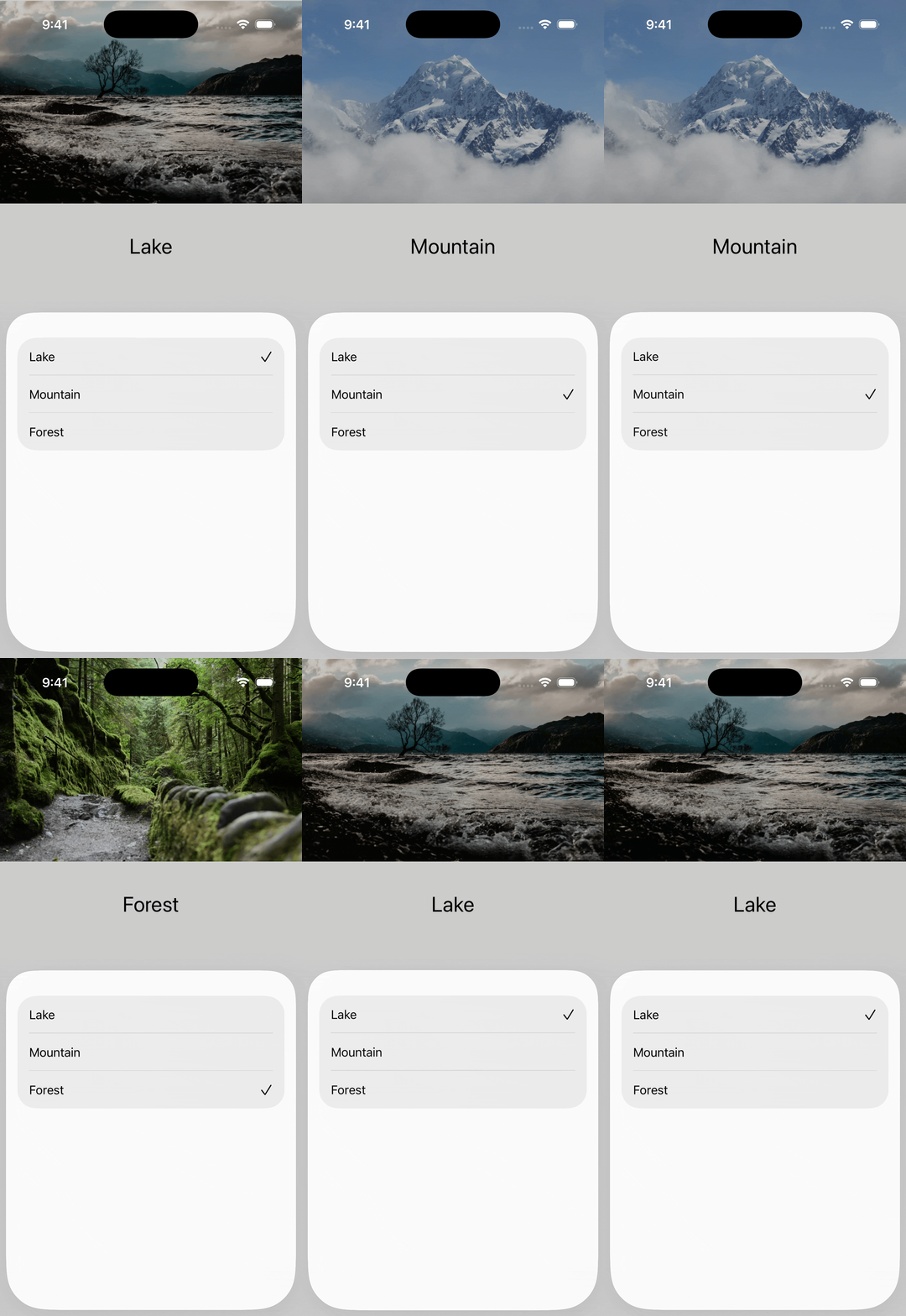
On iOS 26, we can use the new updateProperties() method to write new values to the image and label views. This method runs just before viewWillLayoutSubviews(), but is independent and is now the recommended place for populating content, applying styling, or configuring behaviors.
class ViewController: UIViewController {
    private let selectionState = SelectionState()

    private var imageView: UIImageView!
    private var imageLabel: UILabel!

    ...

    override func updateProperties() {
        super.updateProperties()

        imageView.image = UIImage(named: selectionState.image.rawValue)
        imageLabel.text = selectionState.image.rawValue.capitalized
    }
}
UIKit automatically tracks any @Observable we read inside updateProperties(), so we don't need to add any extra logic, like we had to do previously by calling withObservationTracking() when using the Observation framework outside of SwiftUI. The UIKit view will automatically refresh as soon as SwiftUI sets a new image value on the shared SelectionState.
# Automatic observation tracking on iOS 18
If we want the same automatic update behavior on iOS 18, we first need to add the UIObservationTrackingEnabled key to Info.plist and set its value to YES.
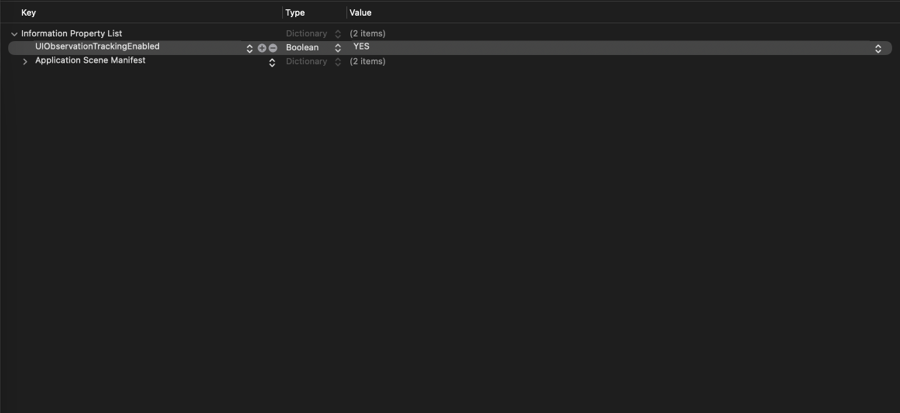
We also have to move the code that updates the image and label into viewWillLayoutSubviews(), since the new updateProperties() method is only available starting with iOS 26.
class ViewController: UIViewController {
    private let selectionState = SelectionState()

    private var imageView: UIImageView!
    private var imageLabel: UILabel!

    ...

    override func viewWillLayoutSubviews() {
        super.viewWillLayoutSubviews()

        imageView.image = UIImage(named: selectionState.image.rawValue)
        imageLabel.text = selectionState.image.rawValue.capitalized
    }
}
The viewWillLayoutSubviews() method supports observation tracking as well. When the feature is enabled, UIKit automatically establishes dependencies on any @Observable class properties read inside it and triggers the necessary updates, just like with updateProperties() on iOS 26.
Automatic observation tracking is a welcome addition to UIKit and brings a more consistent approach to state driven updates in projects that mix UIKit and SwiftUI.
If you are looking for more detailed guidance on using SwiftUI in existing UIKit projects, take a look at my book Integrating SwiftUI into UIKIt apps, which has been recently updated for iOS 26 and Xcode 26. For more resources on Swift and SwiftUI, check out my other books and book bundles.
Enhance older apps with SwiftUI!$40
A detailed guide on gradually adopting SwiftUI in UIKit projects
Updated for iOS 26 and Xcode 26!
Integrating SwiftUI into UIKit Apps
- Upgrade your apps with new features like Swift Charts and Widgets
- Support older iOS versions with effective backward-compatible strategies
- Seamlessly bridge state and data between UIKit and SwiftUI using the latest APIs
Enhance older apps with SwiftUI!
A detailed guide on gradually adopting SwiftUI in UIKit projects
Integrating SwiftUI
into UIKit Apps
Updated for iOS 26 and Xcode 26!