

Introducing Whio: a reader built for technical books
I've built an ebook reader for technical EPUBs and PDFs, and it's now available on the App Store! It's called Whio, and I've designed it for reading technical books comfortably on iPhone and iPad.
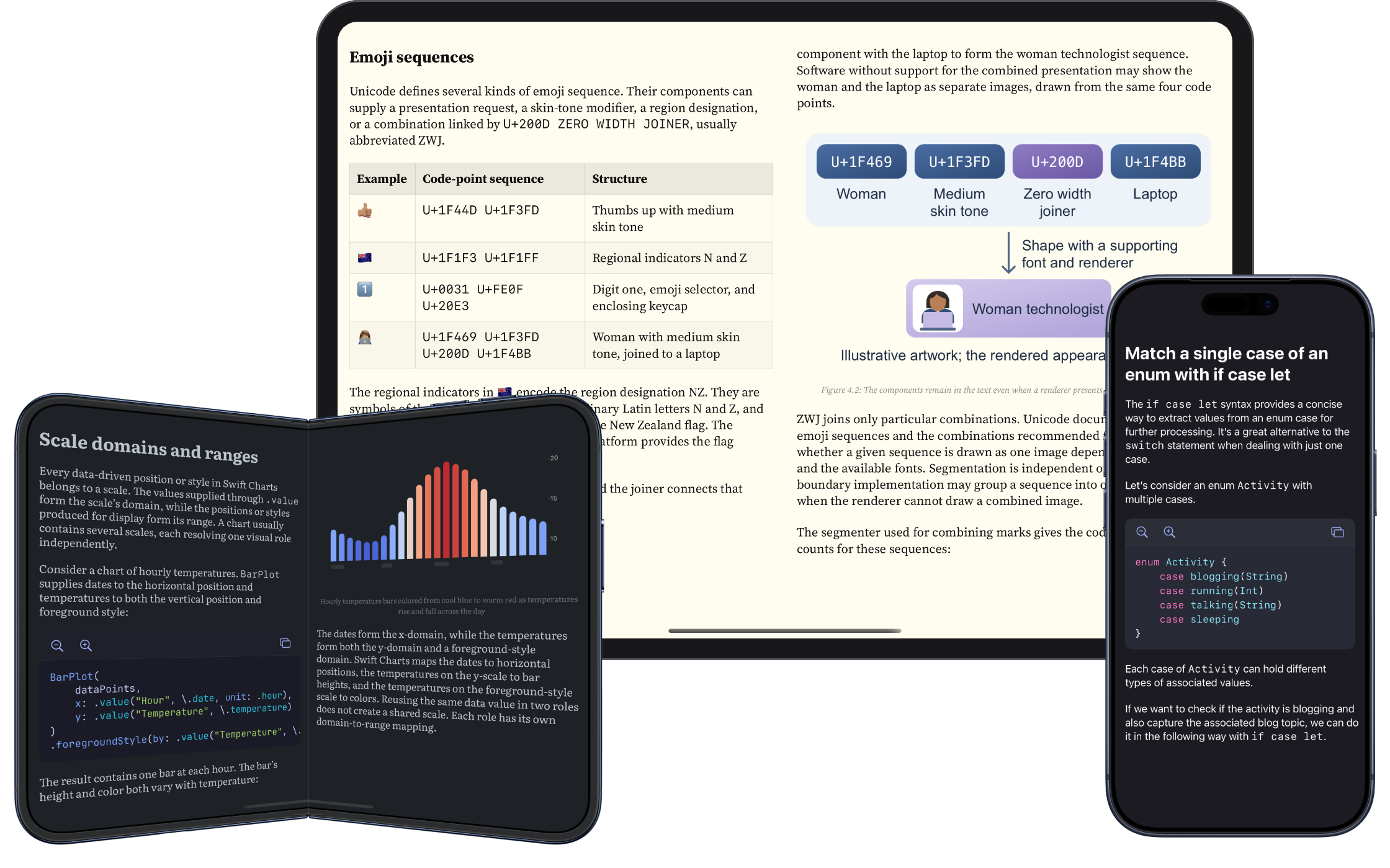
I've been writing technical books for several years now, but I've never been happy with how traditional ebook readers handle them. Code examples often lose their syntax highlighting and indentation, copying code accurately can be difficult, and PDFs are particularly hard to read on a phone.
For my books, I've always provided online versions with a better reading experience. But many readers prefer to download their books and read offline, on their commute, in cafes, or wherever they have time. I wanted to build a reader that gives technical content the attention it needs in those settings too.
# Code with syntax highlighting and preserved indentation
One of the first things I wanted to get right in Whio was the way it displays code. Syntax highlighting and indentation help us follow an example's structure, but that structure can become difficult to read when long lines wrap to fit a phone screen. Whio preserves indentation and lets code scroll horizontally, so examples keep their formatting even when there isn't room to show every line in full.
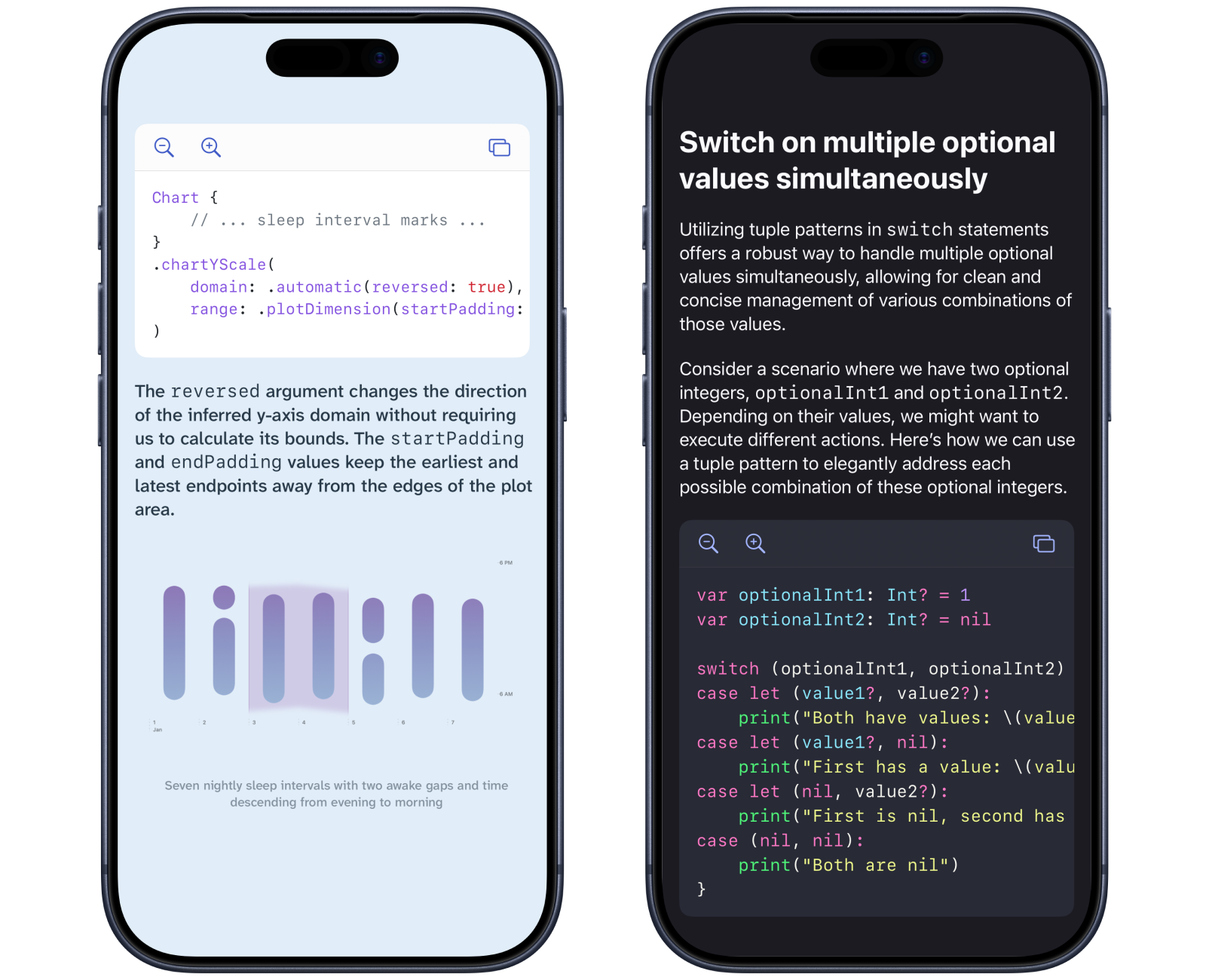
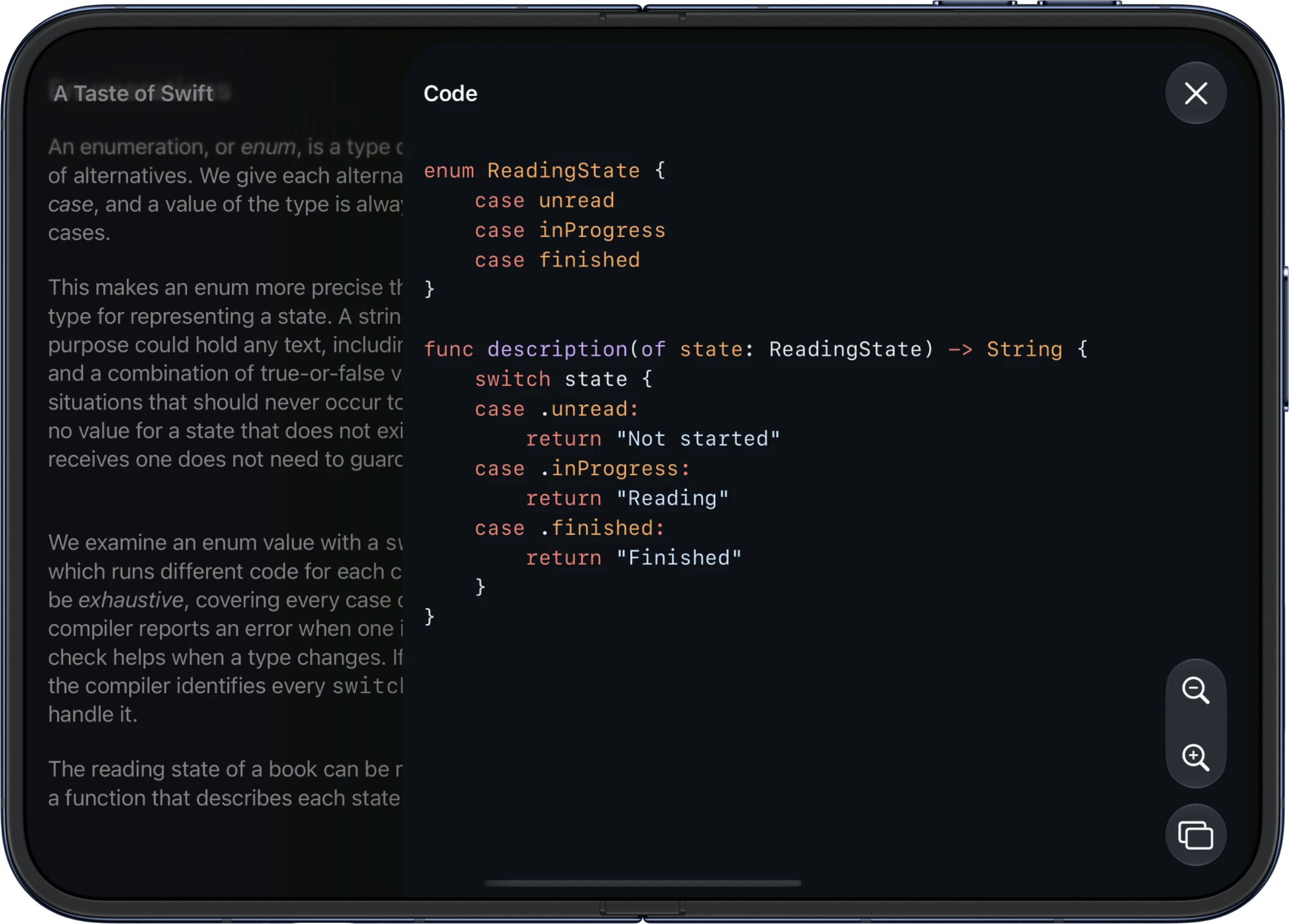
Code also has its own font, size, and weight settings. You can choose a combination that makes examples comfortable to read independently of your preferences for the prose. If a particular example needs more room or a closer look, you can zoom it in or out using controls directly above the code.
Alongside those controls, there's a copy button for taking the code out of the book.
# PDF support
So many technical books and papers are only available as PDFs, so supporting EPUBs alone wouldn't cover everything I wanted to read in Whio. But PDF support needed to go beyond displaying the original pages. A fixed page layout can work well on a larger screen, while on a phone you often have to zoom in and move around the page to follow the text.
Whio turns PDFs into reflowable books, so the text adapts to the screen instead of remaining on fixed-size pages. It works with scanned PDFs too.
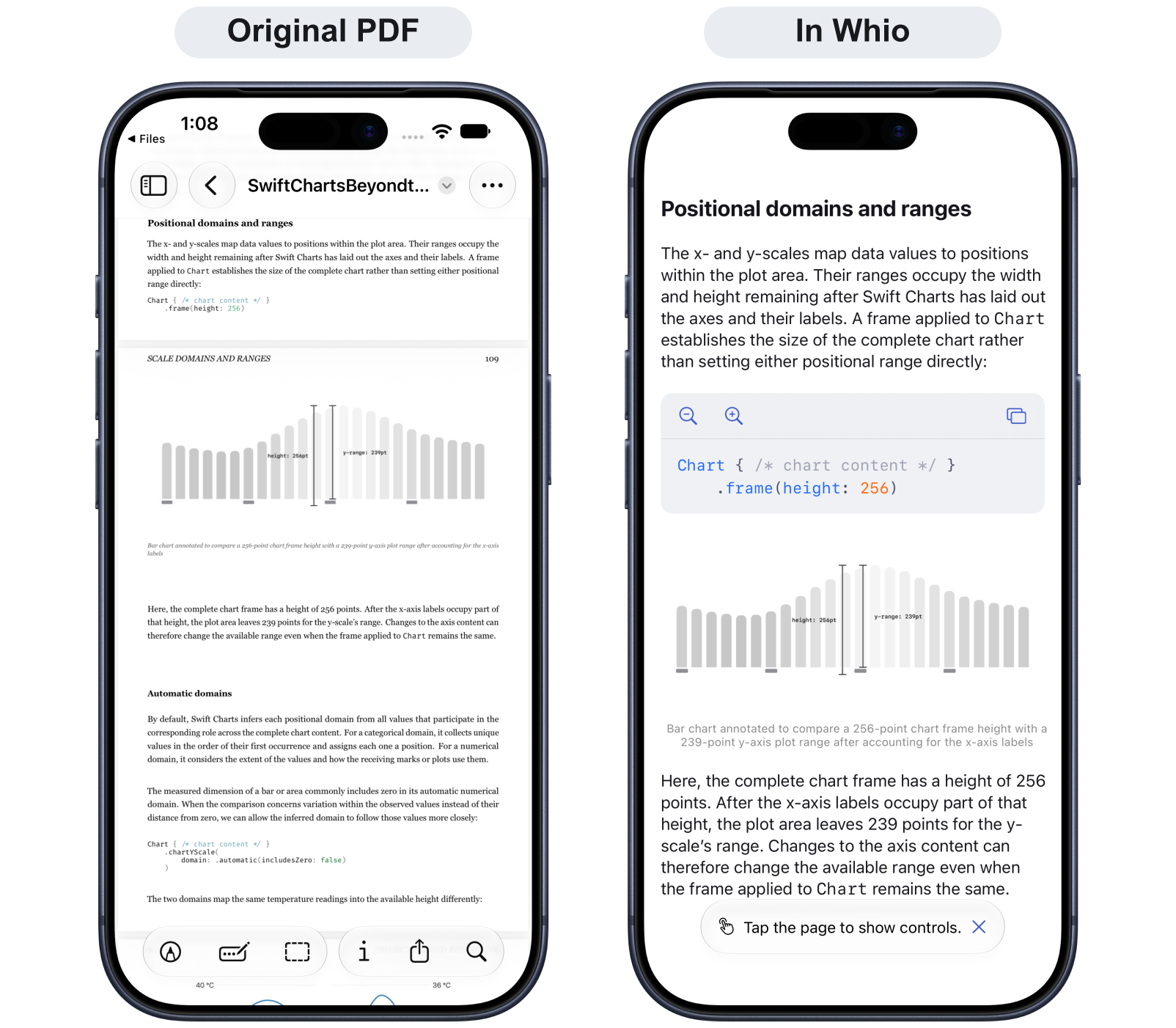
Once imported, a PDF gets the same reading customization and accessibility support as an EPUB. You can choose fonts and themes and adjust the presentation to suit your reading needs.
# Reading preferences and customization
Reading preferences go beyond text size. A font that's comfortable for one person may be difficult for another, and a high-contrast page isn't always the easiest to read. I wanted Whio to give readers room to find a combination that suits them.
You can choose fonts and adjust text size, weight, and line spacing, with options that have more distinctive letter shapes. Themes include high contrast, softer contrast, and tinted backgrounds, each with light and dark variants and the option to follow your device's appearance.
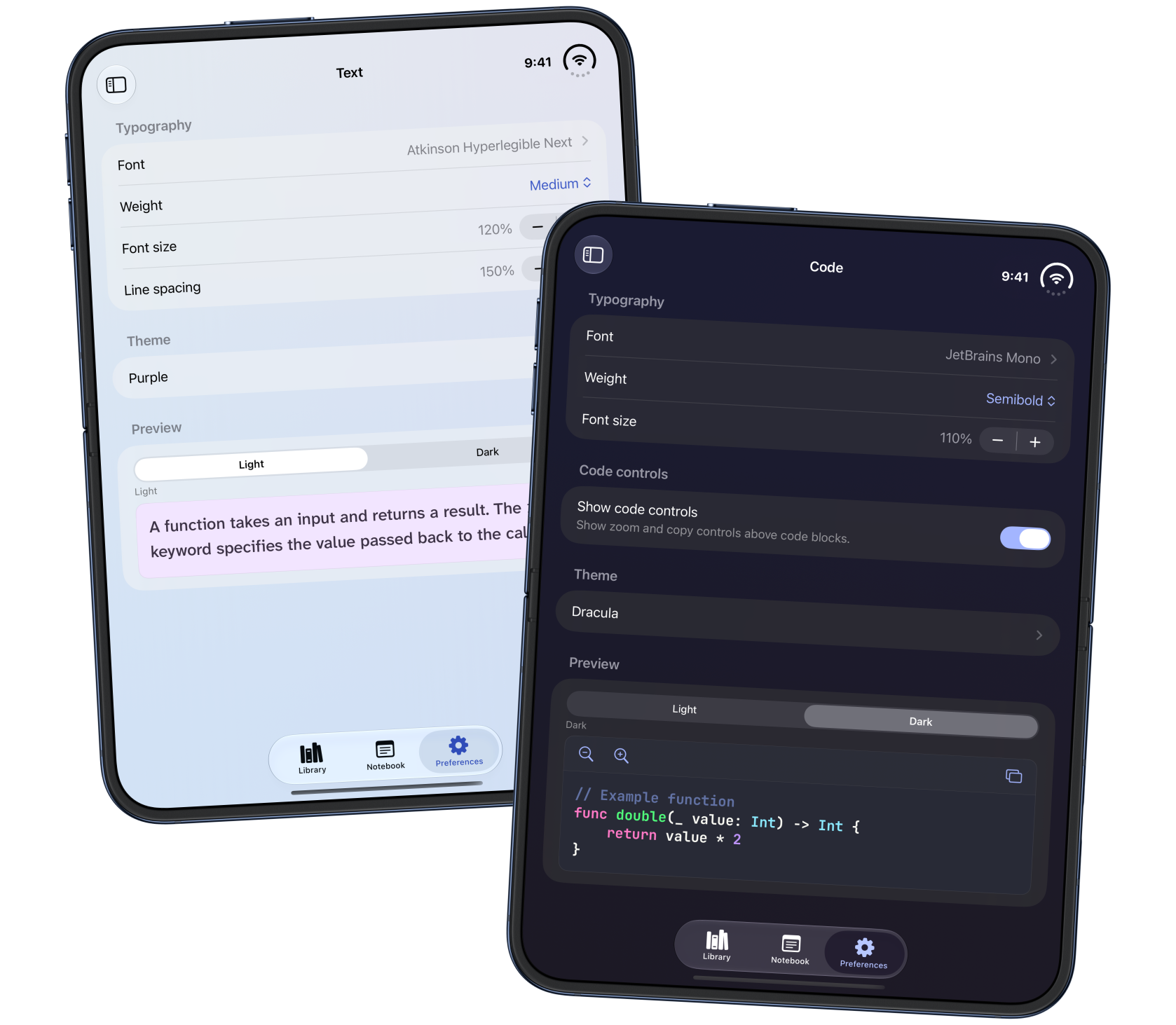
Like the typography settings, themes can be selected independently for text and code. You might prefer a softly tinted page for the explanations but stronger contrast in the examples, or high contrast throughout.
# Accessibility features
Fonts, spacing, and themes can make a substantial difference to the reading experience, but some readers benefit from additional support for distinguishing letters and keeping their place in a passage. I wanted to include that support in Whio, particularly for readers with dyslexia. Matt has dyslexia, and his feedback has helped me develop and refine these features around the difficulties he encounters when reading technical books.
Whio's letter distinction feature adds space between letters that can blend together and subtly varies their emphasis to help distinguish letter shapes and word boundaries. Its intensity is adjustable, so readers can find a level that works with their chosen font and other reading preferences.
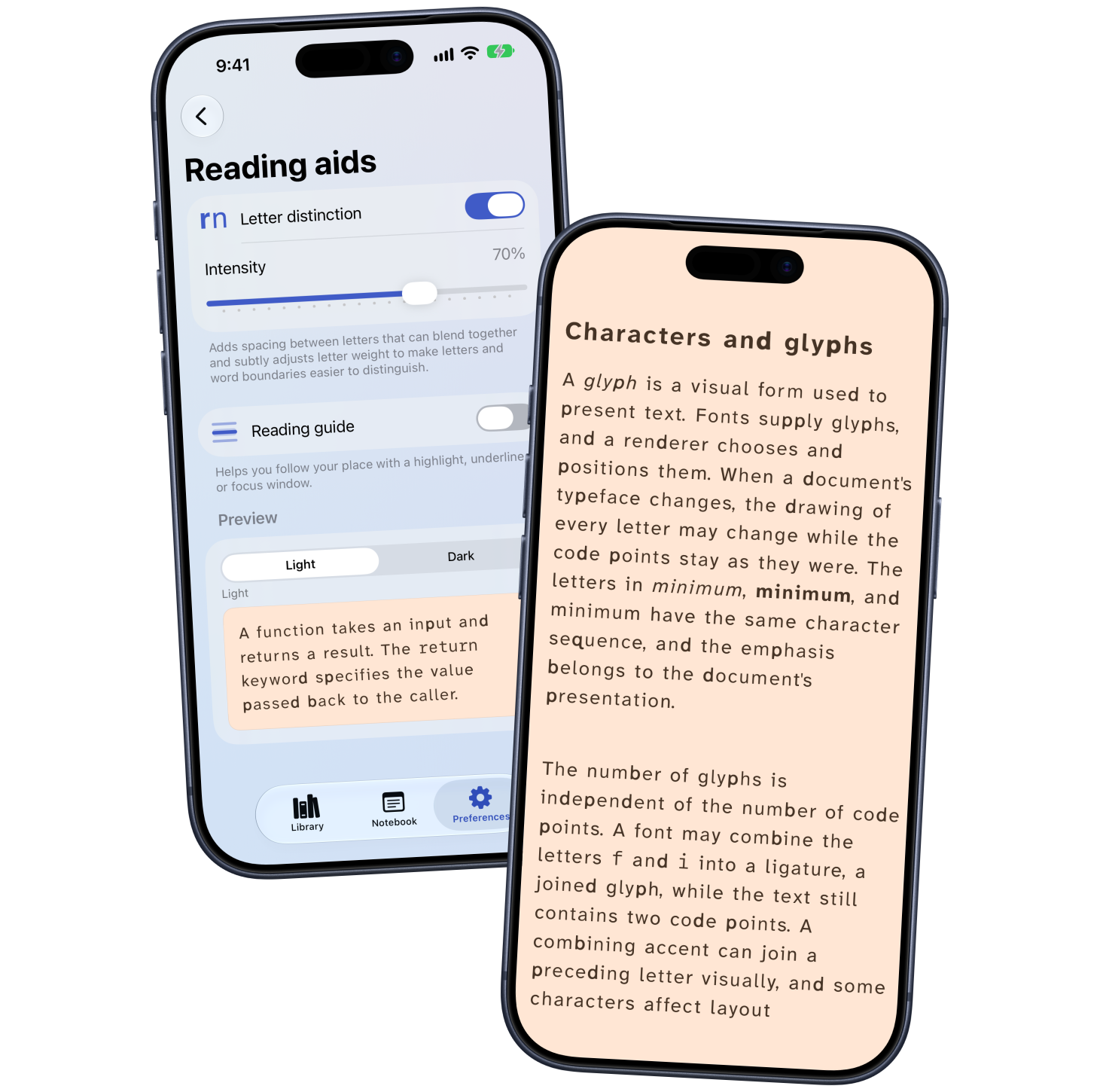
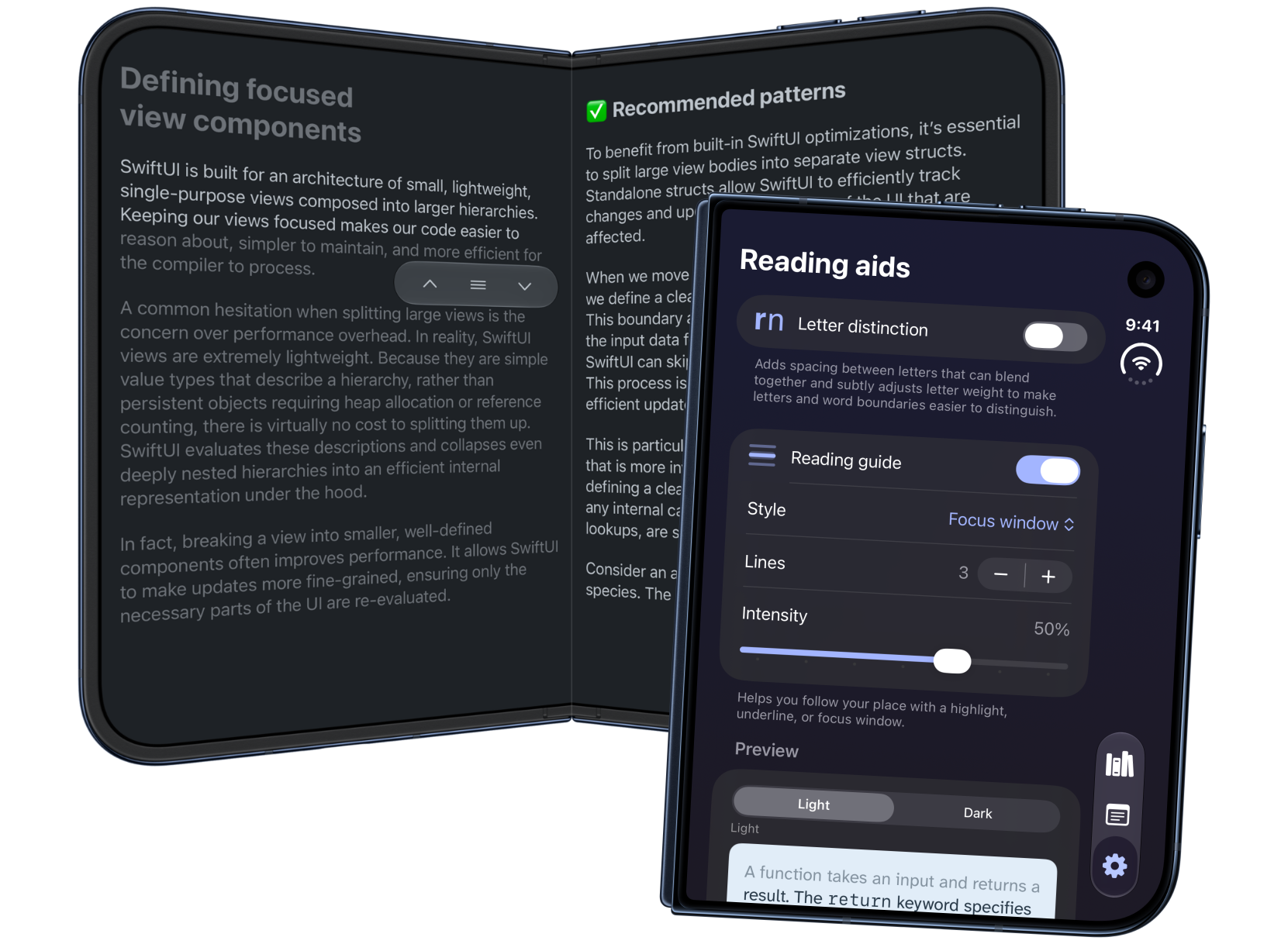
The reading guide helps readers keep their place as they move through the text. It can underline the current line or keep a few lines in focus while dimming the surrounding text. Readers can move the guide through a passage and adjust both the number of lines in the focus window and how much the rest of the page is dimmed.
# Whio on iPhone Duo
iPhone Duo was part of what inspired me to build Whio. Technical books benefit from having more room for code examples, tables, and diagrams, and I liked the idea of a device that's small enough to carry everywhere but opens into a wider reading surface.
During development, I travelled to Sydney for an Apple workshop, where I tested Whio on iPhone Duo and received feedback from Apple's designers. It was an opportunity to discuss the reading experience while working with the app on the device itself.
In Whio, code blocks and images can be opened in separate sheets for a closer look. You can scroll through an example, zoom the code in or out, and copy it. Illustrations have their own viewer too, so you can enlarge a diagram and explore its details. These interactions are available across iPhone and iPad. On Duo, opening the device gives you more room to examine code and illustrations than the outer display provides.
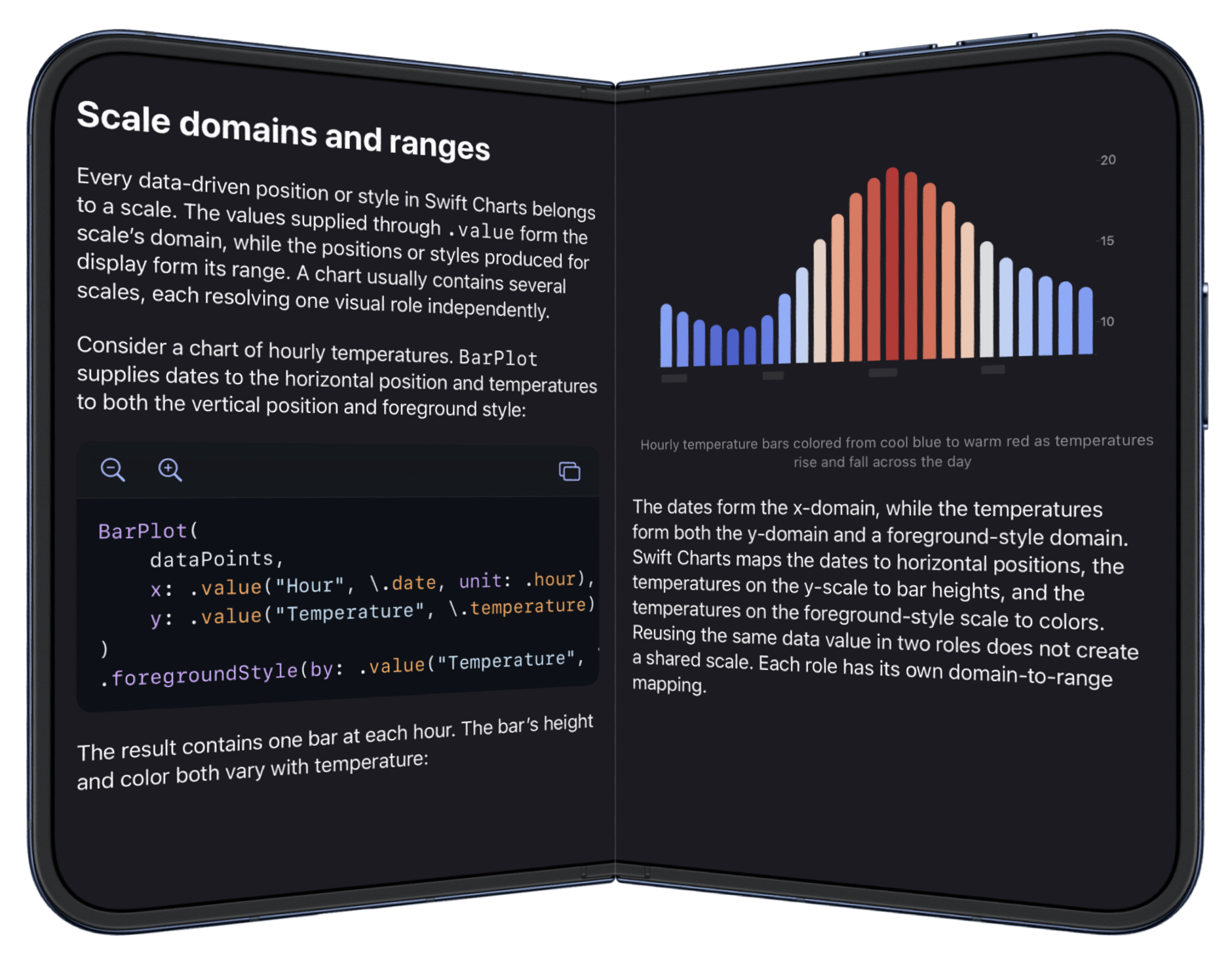
When Duo is partially folded, Whio can display the book across the two halves of the screen, keeping the text and examples clear of the fold. This gives technical content room to sit alongside its explanation, as in the screenshot showing code on one side and a chart on the other.
Whio is free to download on the App Store and includes three illustrated books, so you can explore the reading experience and try the customization options before adding your own books. Whio Unlimited unlocks reading your own EPUBs and PDFs.
I'd love to hear how you get on with it, especially if there are reading preferences or accessibility features that would make technical books more comfortable for you. You can get in touch to share your feedback.